

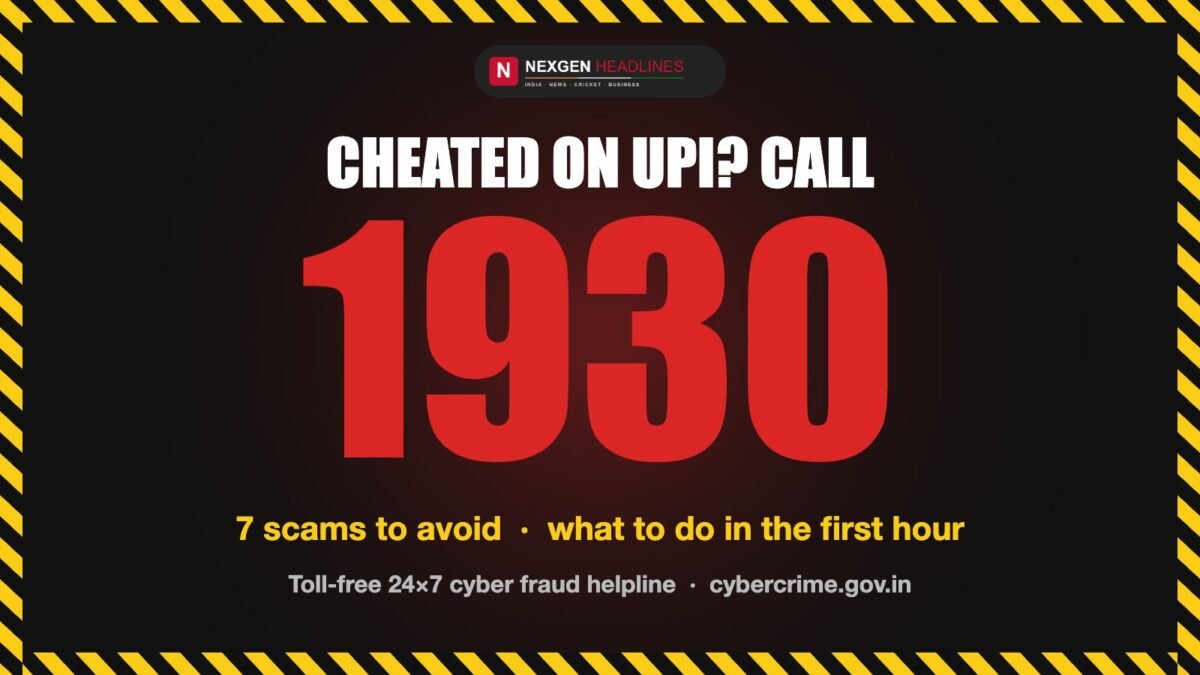
Cheated on UPI? Act in the first hour
- Call 1930 — the government’s toll-free cyber fraud helpline (24×7).
- Report online at cybercrime.gov.in → Financial Fraud.
- Call your bank and ask them to block the transaction and your UPI access.
UPI has made paying anyone in India as easy as scanning a QR code. Fraudsters know this too. Most UPI scams don’t “hack” your phone — they trick you into approving a payment yourself. This guide shows the most common tricks, the one rule that stops almost all of them, and exactly what to do if money has already left your account.
📱 Prefer a quick visual guide? See the warning signs in 9 swipes: UPI Fraud Web Story →
The one rule to remember
You never need to enter your UPI PIN to receive money. A UPI PIN is only needed to send money. If anyone asks you to enter your PIN, scan a code or approve a request “to receive” money, it is a scam.
The 7 most common UPI frauds
1. The “collect request” scam
How it works: A stranger — often posing as a buyer on OLX, Facebook Marketplace or a similar site — sends you a UPI “request”. The app asks you to enter your PIN, and they claim it’s to send you money. Entering the PIN actually pays them.
How to stay safe: Read every UPI screen carefully. If it says “Pay” or asks for your PIN, money is leaving your account. Decline requests from people you don’t know.
2. Fake QR codes
How it works: You are sent a QR code to “receive” a payment, refund or prize. Scanning it and entering your PIN sends money out instead.
How to stay safe: Scanning a QR code is for paying, not receiving. Only scan QR codes when you are buying something.
3. Fake customer care numbers
How it works: You search online for a bank, wallet or delivery company’s helpline and call a number posted by fraudsters. The “agent” asks for your PIN, OTP or to install an app.
How to stay safe: Get helpline numbers only from the official app or official website. Real staff never ask for your UPI PIN or OTP.
4. Screen-sharing apps
How it works: The caller asks you to install a “support” or screen-sharing app so they can “fix” a problem. They then watch your screen as you enter your PIN or OTP.
How to stay safe: Never install an app because a caller asked you to. Uninstall it immediately if you already did, and change your UPI PIN.
5. Fake KYC or account block messages
How it works: An SMS or WhatsApp message says your account, SIM or KYC will be blocked today unless you click a link or call a number.
How to stay safe: Banks don’t block accounts through random links. Don’t click. Check directly in your bank’s official app or branch.
6. “Sent by mistake” refunds
How it works: You receive a small amount from a stranger, then a call asking you to “return” a larger amount, or to approve a request to send it back.
How to stay safe: If money really arrived by mistake, the sender’s bank can handle it. Don’t send money back on a stranger’s instructions.
7. Job, task and investment scams
How it works: You are offered easy money for liking videos or “tasks”. Small payouts build trust, then you are asked to deposit larger amounts to unlock earnings.
How to stay safe: Real jobs don’t ask you to pay. Any “guaranteed returns” offer on WhatsApp or Telegram is a red flag.
What to do if you have been cheated
Speed matters. Reporting quickly gives banks the best chance to freeze the money before it moves further.
- Call 1930, the National Cyber Crime Helpline. It is toll-free and available 24×7. Keep your transaction details ready.
- File a complaint online at cybercrime.gov.in. Choose Financial Fraud and fill in the details. Note your complaint number.
- Inform your bank through its official helpline or app. Ask them to block further UPI transactions on your account.
- Change your UPI PIN and passwords, and remove any app a fraudster asked you to install.
- Keep evidence: screenshots of messages, the fraudster’s number or UPI ID, and the transaction ID (UTR).
| What to keep ready | Where to find it |
|---|---|
| Transaction ID / UTR number | UPI app → transaction history |
| Date, time and amount | UPI app or bank SMS |
| Fraudster’s UPI ID, phone number or link | Chat, call log or SMS |
| Screenshots of the conversation | Your phone |
Check a number or UPI ID before you pay
The National Cyber Crime Reporting Portal has a Report & Check Suspect feature. You can search a mobile number, UPI-linked account, email or website against the government’s list of identifiers linked to cyber criminals, and report suspicious numbers, WhatsApp/Telegram accounts or links yourself. Find it on cybercrime.gov.in.
Quick safety checklist
- Never share your UPI PIN, OTP or card details with anyone.
- Don’t enter your PIN to receive money.
- Check the name shown on screen before you pay.
- Don’t install apps a caller asks you to install.
- Use only official apps from the Play Store / App Store.
- Turn on your UPI app’s app lock.
- Teach older family members the “no PIN to receive” rule.
Frequently asked questions
What is the helpline number for UPI fraud in India?
Call 1930, the toll-free National Cyber Crime Helpline run under the Ministry of Home Affairs. It is available 24×7.
Can I get my money back after a UPI fraud?
Not always, but reporting quickly improves your chances. When a complaint is registered, banks can try to freeze the money in the fraudster’s account; frozen money is returned through the legal process.
Do I need a UPI PIN to receive money?
No. You only enter your UPI PIN to send money or to approve a payment.
Where do I file an online complaint for UPI fraud?
On the National Cyber Crime Reporting Portal, cybercrime.gov.in, under Financial Fraud.
Should I also tell my bank?
Yes. Contact your bank through its official helpline or app so it can block further transactions and record the fraud.
📱 Share this with your family: See the warning signs in 9 swipes: UPI Fraud Web Story →
Official links
- National Cyber Crime Reporting Portal: cybercrime.gov.in
- Cyber fraud helpline: 1930 (toll-free, 24×7)
- Related guide: How to download e-Aadhaar safely
Information checked against the National Cyber Crime Reporting Portal and Press Information Bureau releases in October 2026.
1 comment